> For the complete documentation index, see [llms.txt](https://docs.optty.com/llms.txt). Markdown versions of documentation pages are available by appending `.md` to page URLs; this page is available as [Markdown](https://docs.optty.com/hosted-payment-page/in-store-use-case.md).
# In Store Use Case
### 1. Customer Experience
These are the steps taken by a customer during the checkout process for an instore payment. This is a hypothetical simple use case and there is the ability to add additional functionality to this flow about POS display.
#### 1.1 QR Code and Customer Information
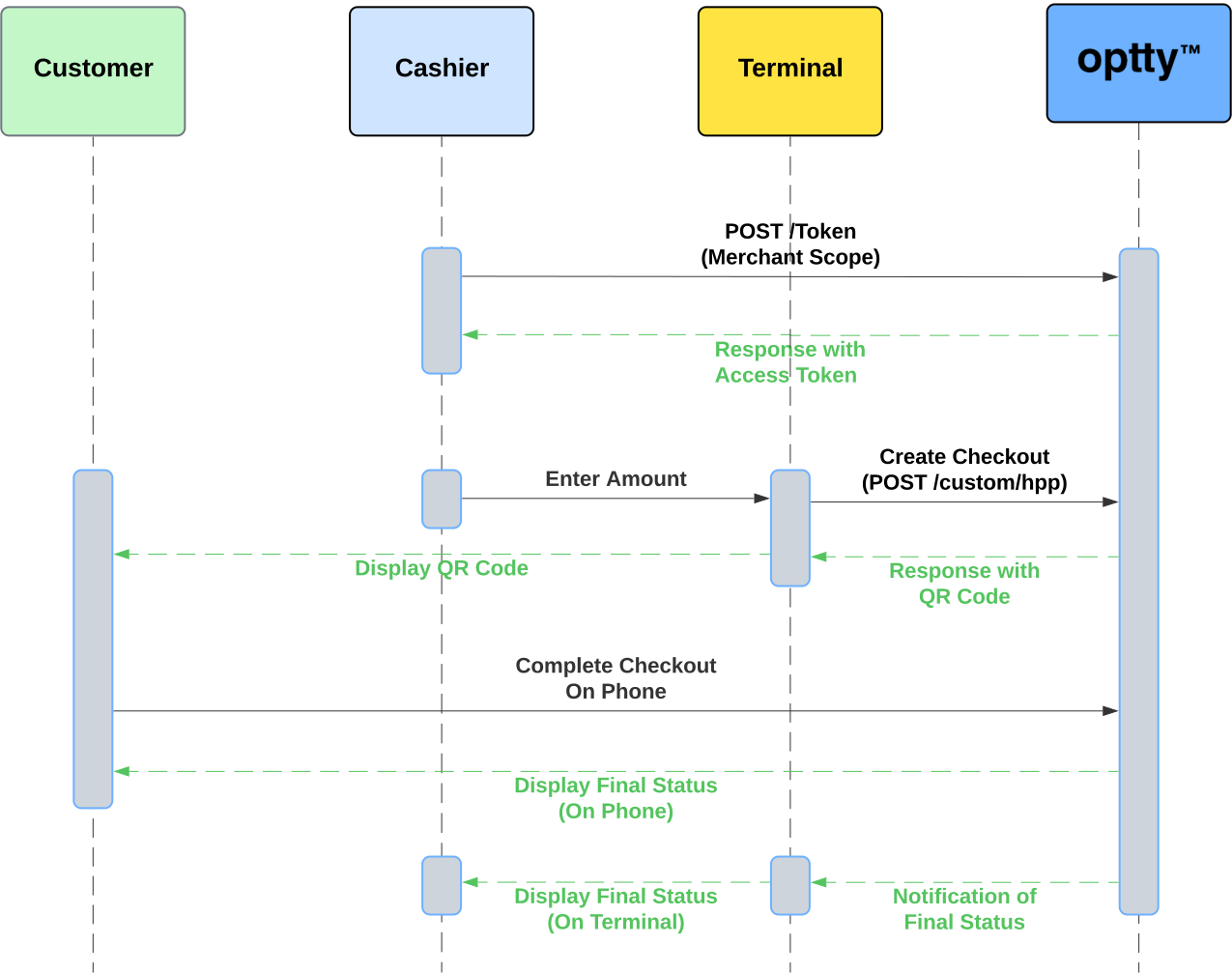
Once the cashier has entered the amount of the purchase, the terminal can initiate an Optty Direct session and display the returned QR Code for the customer to complete their checkout.
Initially once the customer has landed on the page, they fill in their billing details, this example is showing the worst case example of all fields required, this form can be dynamic to display only fields required by the merchants enabled payment providers. For example Paypal does not require much information from customers, if only this was enabled the customer would not have to enter details, but just review the order details before proceeding.
#### 1.2 Payment Method selection
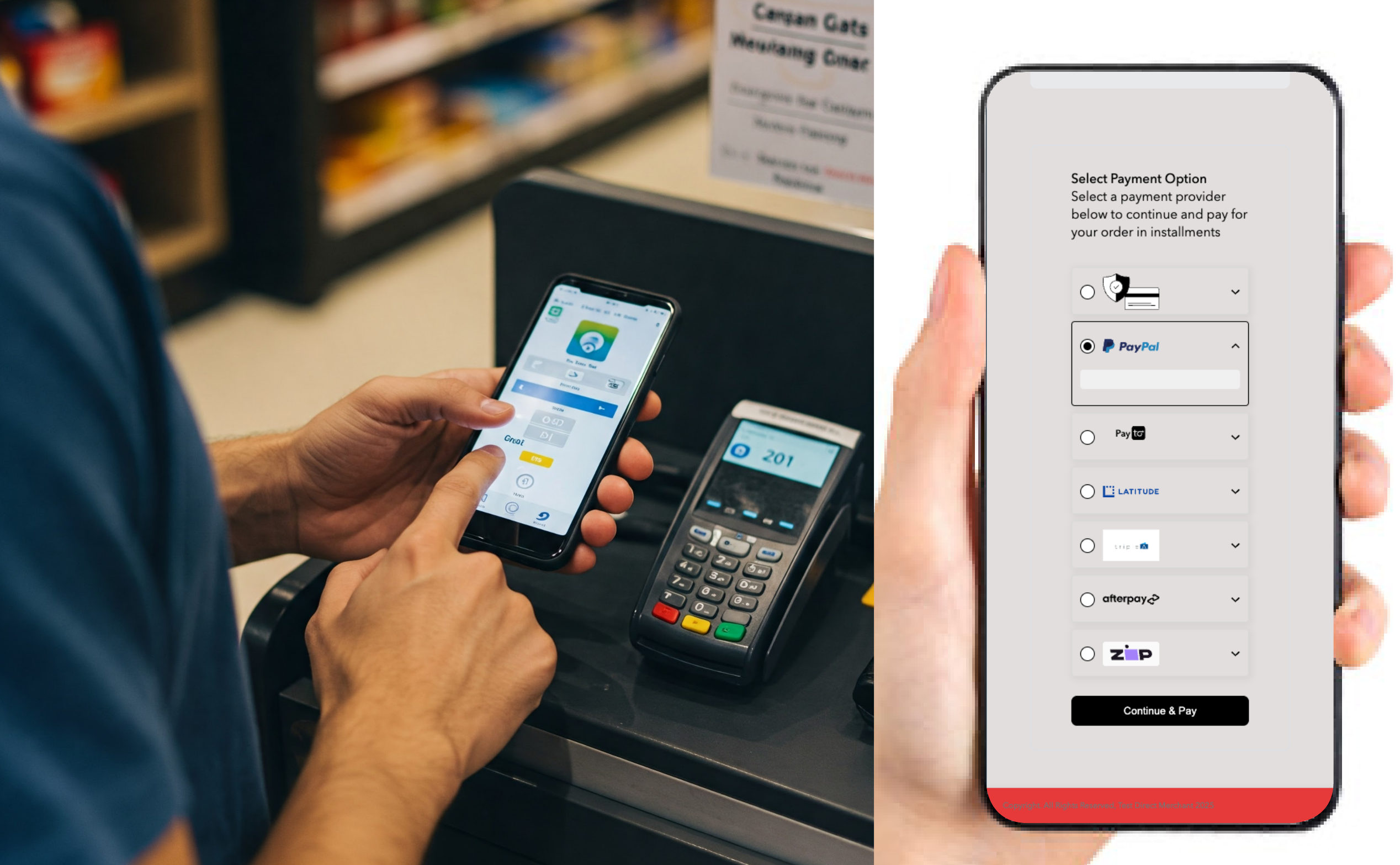
The customer will then be displayed the payment methods enabled by that merchant on their UPP and choose one to make their payment.
#### 1.3 Payment
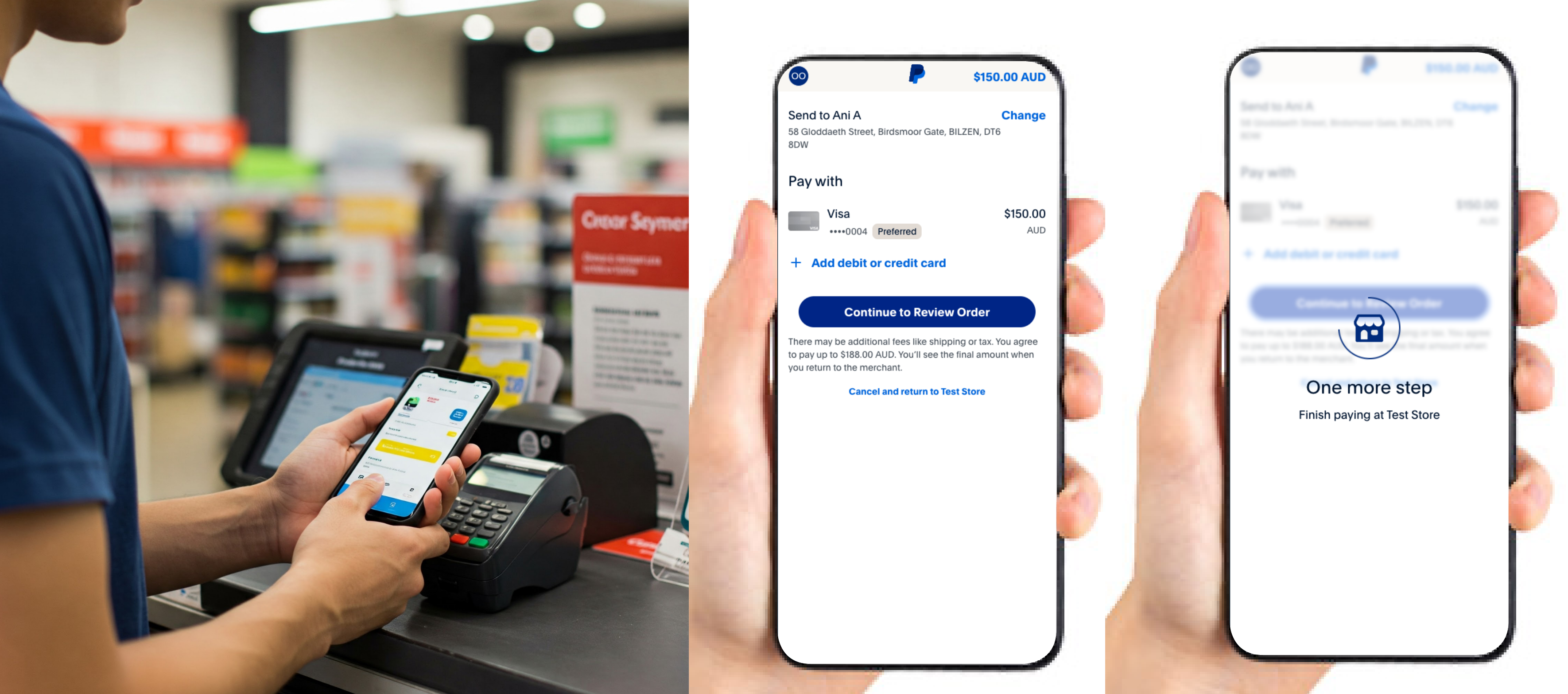
Payment is then completed with the customers preferred payment provider.
#### 1.4 Status Displayed
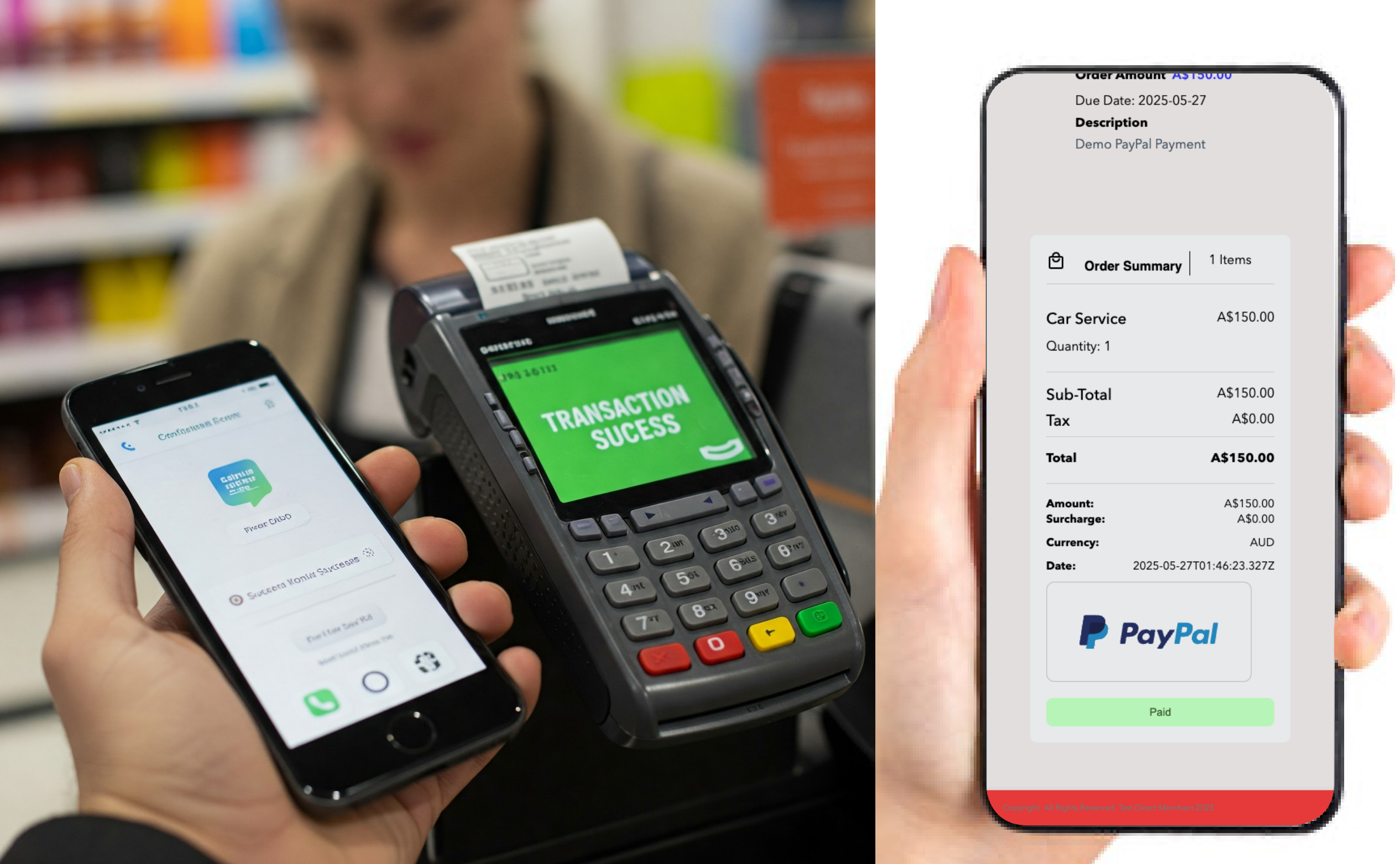
The final payment status is then displayed to the customer and cashier.
### 2.Technical Flow
Below is an example of the technical API flow for Optty Direct payments with the In-Store use case, this can be converted to a invoice technical flow if cashier and terminal are replaced with employee and invoicing system respectively.
.png)