> For the complete documentation index, see [llms.txt](https://docs.optty.com/llms.txt). Markdown versions of documentation pages are available by appending `.md` to page URLs; this page is available as [Markdown](https://docs.optty.com/direct-api-orders/create-access-token.md).
# Create Access Token
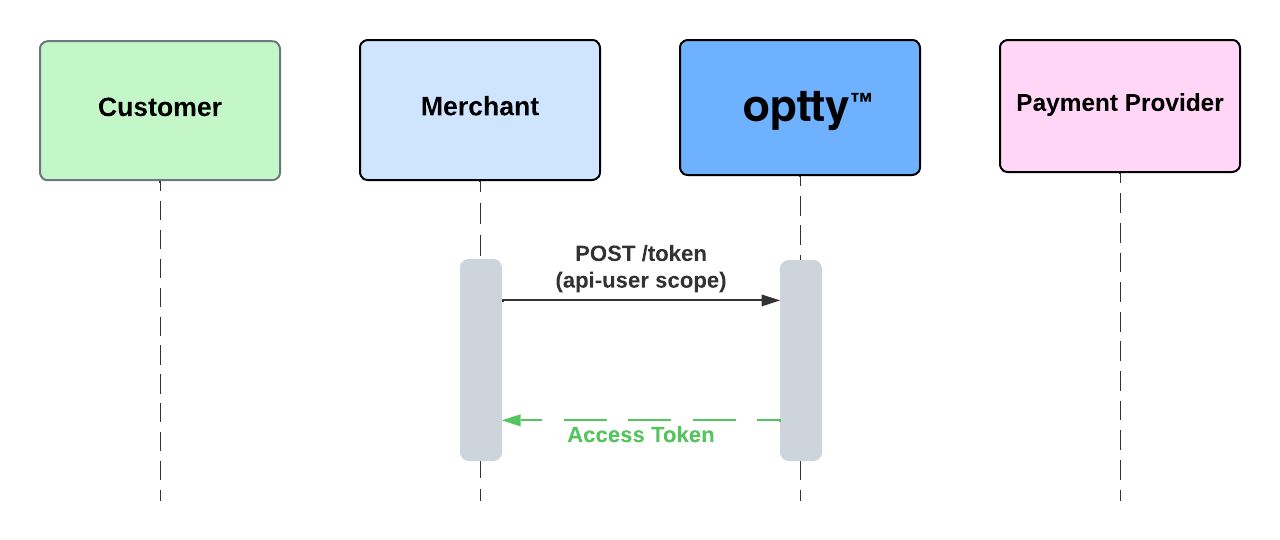
In order to access the API’s, first create an access token that will be used in the header of subsequent calls for authentication.
Access tokens expire in 24 hours from the time it was created but you are able to use this method to obtain a new token.
## Create Access Token
`POST` `/token?expires_in=1`
Access tokens are only valid for **24 hours** from its creation. Use this method if the current token is expiring soon or it may have been compromised to obtain a new Access Token. Client ID and secret credentials are provided by Optty.
#### Headers
| Name | Type | Description |
| ---------------------------------------------- | ---- | --------------------------------- |
| content-type\* | | application/x-www-form-urlencoded |
#### Request Body
| Name | Type | Description |
| ------------------------------------------------ | ------ | ---------------------------------------------------------------------- |
| client\_id\* | string | Client\_ID credentials provided by Optty |
| client\_secret\* | string | Client secret credentials provided by Optty |
| grant\_type\* | string | Always “client\_credentials” |
| scope\* | string | The “api-user”, this is needed to make API calls for placing an order. |
{% tabs %}
{% tab title="200: OK Success" %}
```json
Content-type application/json:
{
"access_token": "",
"expires_in": 86400,
"token_type": "Bearer",
"scope": "api-user"
}
```
{% endtab %}
{% endtabs %}